Methodox Transcriber · v0.6
Record, edit and transcribe. On your machine.
Whisper runs locally. No API key, no upload, no account and no file-size limit — your audio never leaves the computer it was recorded on.
Methodox Transcriber · v0.6
Whisper runs locally. No API key, no upload, no account and no file-size limit — your audio never leaves the computer it was recorded on.
Where it runs
v0.6 removed every line of cloud code. There is no account to make, no key to paste and nothing to upload — the model runs on your own CPU, and a two-hour recording is no harder than a two-minute one.
0
Recording, editing and transcription all happen in the process on your desk.
No limit
Long files decode on a background thread, so the window stays usable while they load.
Offline
Pull the network cable once a model is on disk and nothing about the program changes.
The one thing it ever fetches is the Whisper model itself, once, from whisper.cpp's public repository — and only when you press Download in Settings. You can also drop a ggml-*.bin file into the model folder yourself and never let it touch the network at all.
The window
Most transcription tools take a file and hand back text. This one records the audio, lets you cut it, and then transcribes what is left — without exporting anything to a second program in between.
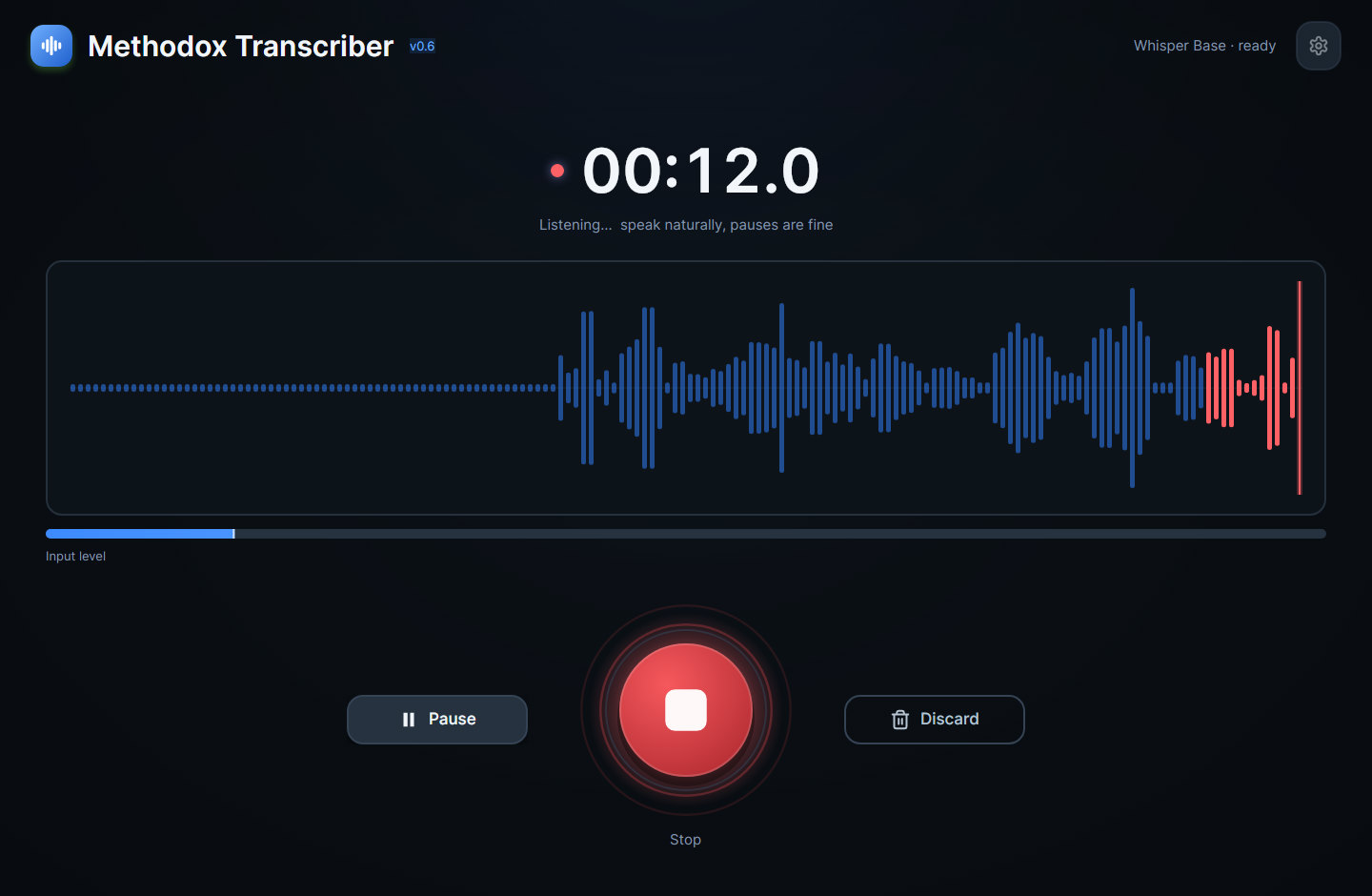
One big red button, and Space does the same thing. A live waveform and level meter while it runs, and pause and resume so you can think without recording the silence.
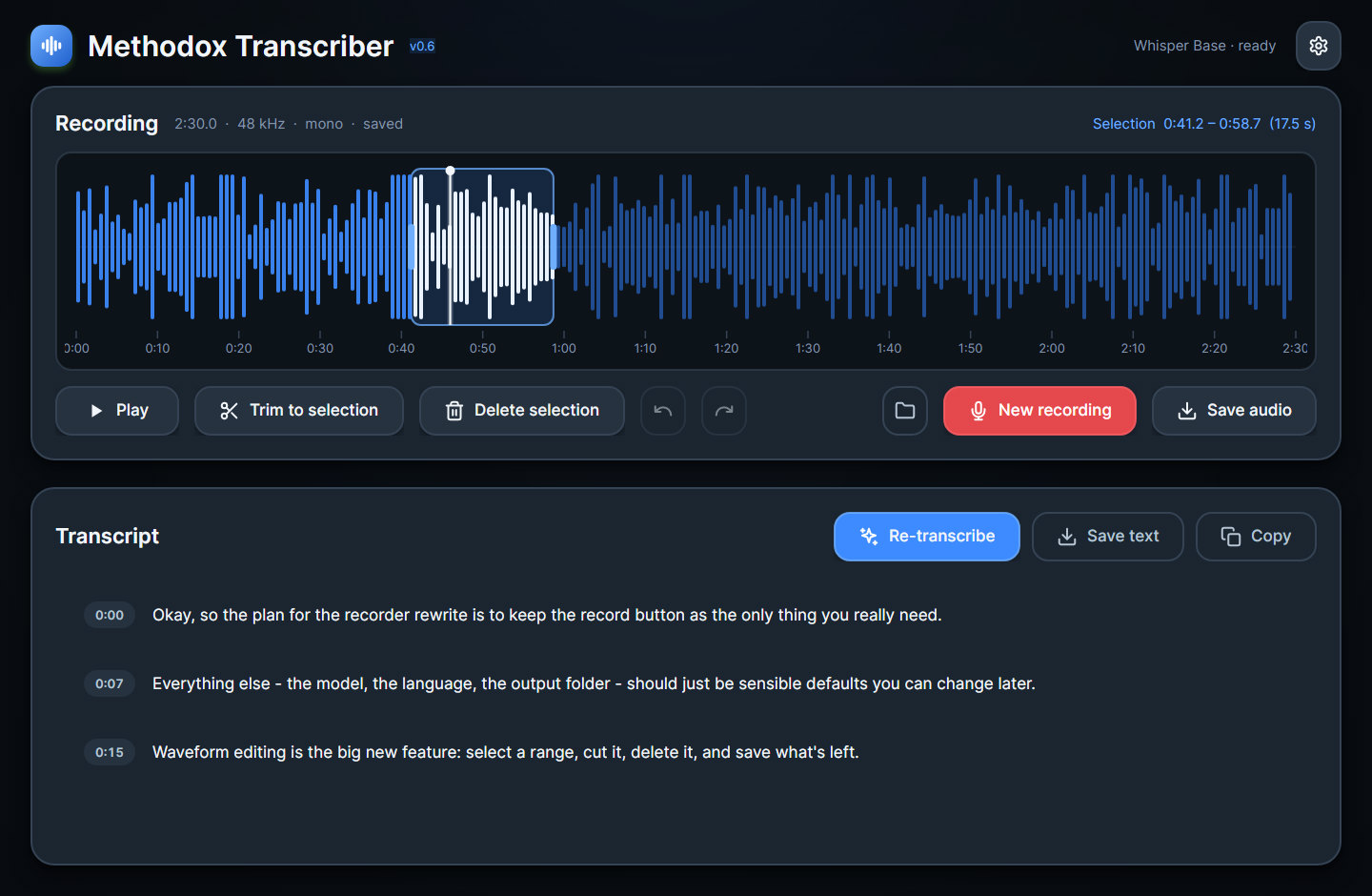
Drag to select, trim to the selection, delete it, undo it. Sample-accurate and non-destructive until you save — the file on disk is untouched until you say so.
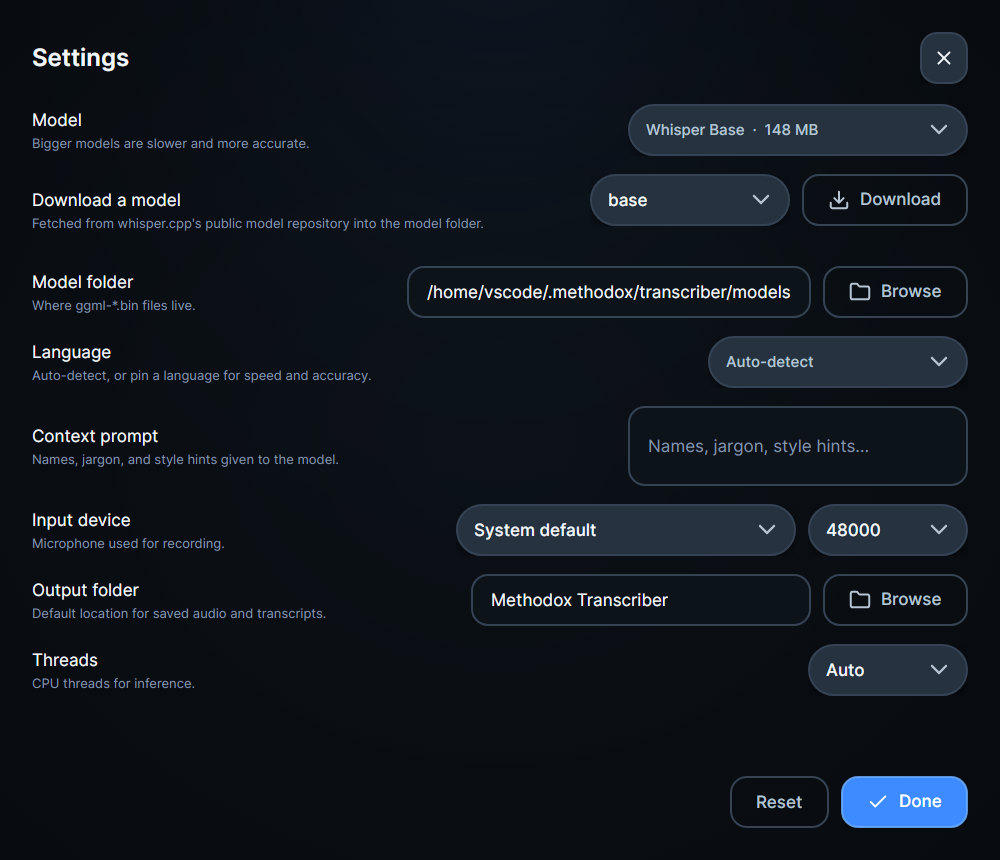
Pick a model, pick a language or let it detect one, and add a prompt with the names it will not guess. Segments stream in as they are produced.
The part other tools skip
Recordings start with throat-clearing and end with someone finding the stop button. Cutting that should not need a second application.
Okay, so the plan for the recorder rewrite is to keep the record button as the only thing you really need.
Everything else - the model, the language, the output folder - should just be sensible defaults you can change later.
Waveform editing is the big new feature: select a range, cut it, delete it, and save what's left.
And all of it runs locally. No API keys, no upload, nothing leaves the machine.
The text
Segments arrive as the model produces them, each one timestamped and clickable, so a long file is readable long before it has finished.
Audio
| Reads | Writes |
|---|---|
| WAV | WAV |
| MP3 | FLAC |
| M4A / AAC | OGG Vorbis |
| FLAC | — |
| OGG Vorbis | — |
Drag a file anywhere onto the window to open it.
Hands
Availability
On itch.io. Every build and the release notes live on the store page.
Download on itch.ioWindows, Linux and macOS Documentation